
Branchline
The Git graph you loved, maintained again.
VS Code extension Available now — direct download levelbrook.branchline v1.0.0
Status — Branchline 1.0.0
Built, tested and packaged as a .vsix, and you can download and install it right now from this page. It is not on the VS Code Marketplace or Open VSX yet — that listing is pending a publisher account, and nothing about it changes the software you get here.
Install it with Extensions: Install from VSIX… from the VS Code command palette (Cmd/Ctrl + Shift + P), or from a terminal with code --install-extension branchline-1.0.0.vsix. It works the same way in Cursor, Windsurf and VSCodium.
The problem
The Git graph most VS Code developers use has 15.2 million installs and a 4.94★ rating. Its last release was April 2021. Its issue tracker carries a long-running thread of people asking who is going to take it over, and the recurring answer is “there are no nice alternatives.” Its licence blocks forking, so the slot simply stayed open. Meanwhile the other well-known option puts its commit graph behind a subscription.
Branchline is the third option: a clean-room, actively maintained commit graph where the graph and every graph action are free, forever. No account. No sign-in. No telemetry. Pro exists, but it only adds things the abandoned incumbent never gave you.
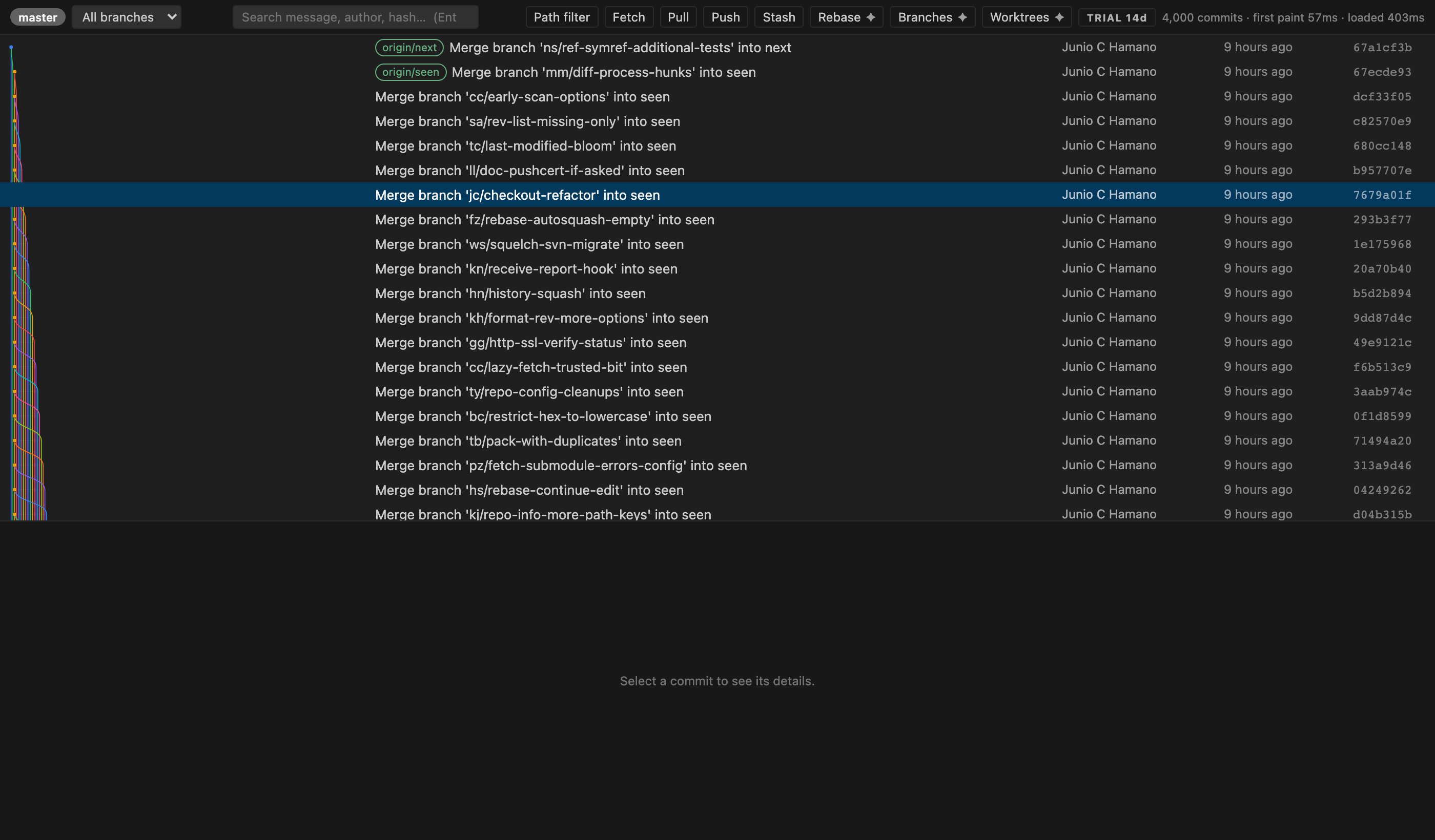
git/git — a repository of 85,543 commits, 1,008
tags and 282 concurrent lanes at its widest point. Rendered from the real built bundle
against real repository data, not a mockup.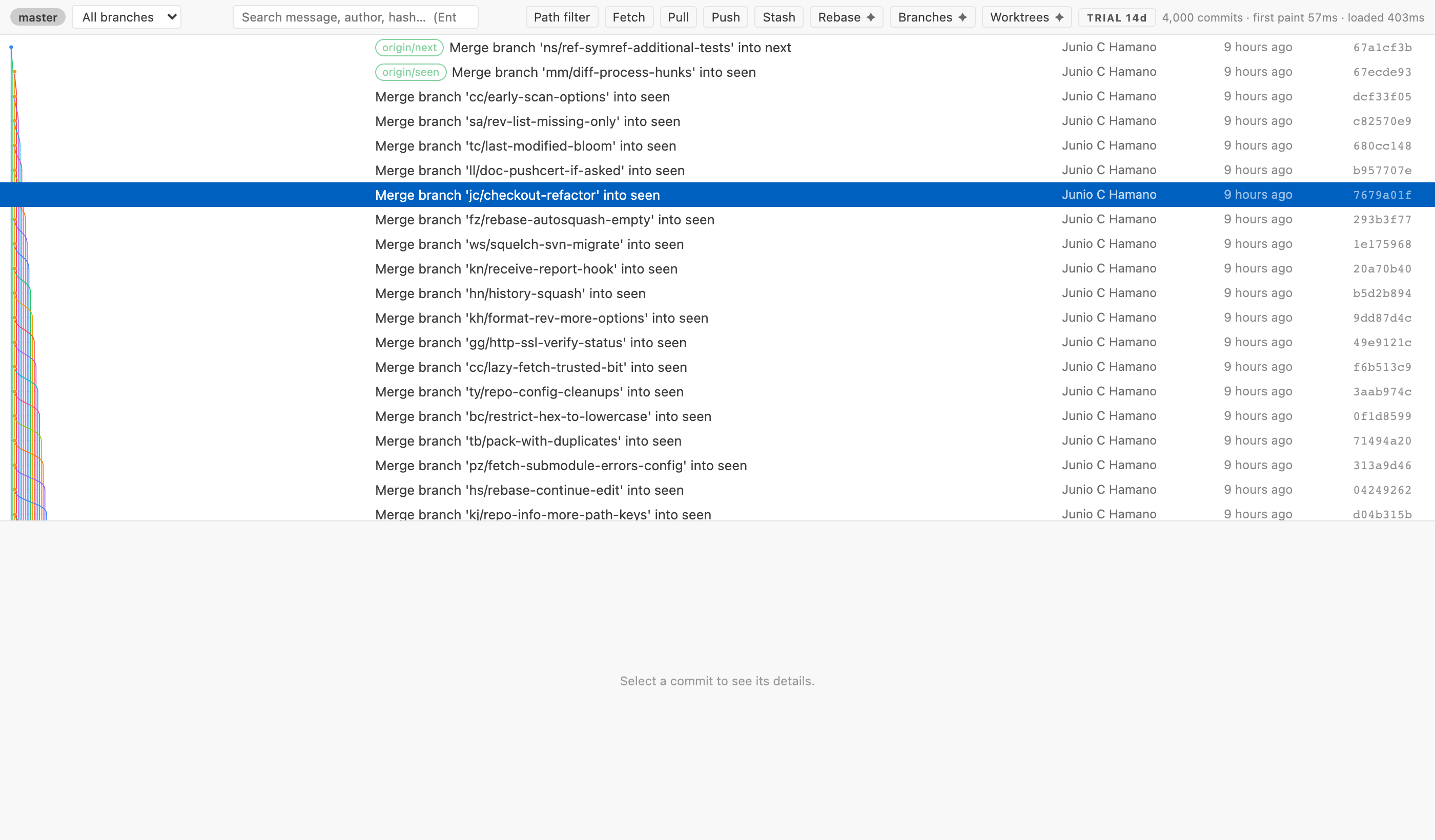
Free forever — the whole graph
Everything in this list is free and will never move behind a paywall.
- The commit graph — coloured branch lanes, fork and merge rendering, octopus merges, tags, stashes, remote branches, a HEAD indicator, and an uncommitted-changes row at the top.
- Filter and search — scope to any branch, remote branch or tag, restrict history to a path, and search subject, body, author, email and hash.
- Full commit details — author and committer with dates, parents,
the complete message, and the changed-file tree with real
+/-line counts. Click any file to open VS Code's own diff editor. - Compare any two commits, branches or tags.
- Every action, from the graph — checkout, create / rename / delete branch, merge, rebase, cherry-pick, revert, reset (soft / mixed / hard), tag, push tag, stash push / apply / pop / drop, fetch, pull, push, copy hash.
- Destructive actions ask first.
reset --hard, branch deletion, stash drop and rebase all show an explicit modal saying what you are about to lose — and the confirmation is re-checked in the extension host rather than trusted from the webview. - Multi-root workspaces and submodules in one repository picker.
- Correct in a broken state — detached HEAD, a conflicted merge, an interrupted rebase, a cherry-pick or revert in progress are all detected and shown with Continue and Abort.
- No telemetry. None.
Performance is the point
Measured on git/git — 85,543 commits, 1,008
tags, 282 concurrent lanes at the widest point — on an Apple M2, by the benchmark
scripts committed in the repository. Run them yourself with npm run bench.
| Measurement | Result |
|---|---|
| Time until the first commits are parsed, laid out and ready to paint | 57 ms |
| Time to walk and lay out all 85,543 commits | 1.56 s |
| Sustained parse + layout throughput | ~55,000 commits/sec |
| Webview: first rows in the DOM after the first message | 17 ms |
| Webview: ingest all 85,543 rows in 2,000-row messages | 651 ms |
| Row elements in the DOM while scrolling all 85,543 commits | 30 |
| Dropped frames during a 5-second continuous scroll | 0 of 299 (worst frame 18.7 ms) |
How it gets there:
git logis streamed, never buffered. Commits are parsed out of the pipe as chunks arrive. The first batch is deliberately small — 250 rows, more than fills a screen — so you are reading your history while git is still walking it.-z, NUL-delimited, everywhere. Git forbids NUL in hashes, names, refs and messages, so there is no separator to escape and no author calledA, Bthat can corrupt a row.- Virtualised rows. Only the ~30 rows on screen exist in the DOM. Scrolling 85,000 commits costs exactly as much as scrolling 100.
- Canvas for the lanes, DOM for the text. One canvas paints only the visible band in a single pass; the commit text stays real DOM so it remains selectable, themable and reachable by a screen reader.
- Compact graph geometry. Lane segments are flat
[from, to, colour]numeric triples rather than objects — on git/git that is the difference between 710 MB and 443 MB in the extension host. - A commit-graph cache, written once. On a repository with more than
10,000 commits and no commit-graph file, Branchline writes one in the background
after the first paint — the same additive cache
git gccreates. It only ever adds a file under.git/objects/info; it never changes history, andbranchline.writeCommitGraphturns it off.
Branchline Pro
Pro adds capability. It never takes anything away.
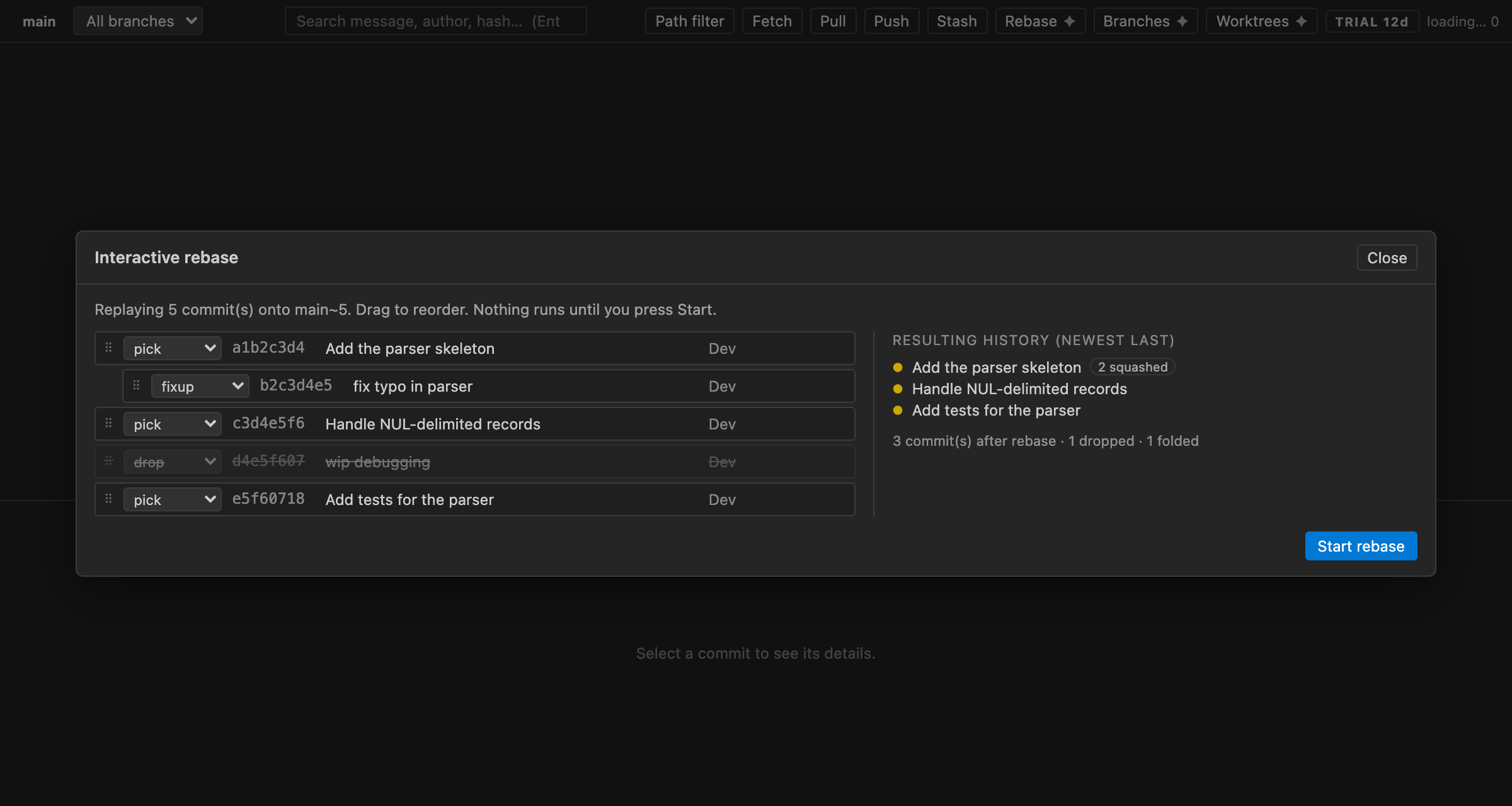
fixup indented
under its target, a drop struck through, and the live “resulting
history” panel. Nothing runs until you press Start.Interactive rebase editor
Git's interactive rebase is a text file you hand-edit in a terminal. Branchline gives it a
UI: drag rows to reorder; pick / reword / edit / squash / fixup / drop from a dropdown; and
a live preview of the resulting history beside the plan. It never opens
$EDITOR — reword runs as pick plus an
exec git commit --amend -F, so a message change never drops you into vim by
surprise.
Branch hygiene dashboard
Every local branch with its divergence from the default branch, its age, whether it is already merged and whether its upstream has been deleted — with bulk cleanup that refuses to offer you the branch you are standing on, or anything unmerged.
Worktree management
List, add and remove git worktrees without leaving the graph.
File history, with renames followed
The full evolution of a file across renames, reachable from the commit detail pane.
Not in 1.0, and not charged for as if it were
Per-line blame and the git log -L “who touched this function”
view are implemented and tested in the engine but have no button in the UI
yet. They are not part of what 1.0 delivers, and this page will say so until
they ship. The rebase editor also takes its base revision from a text prompt rather than
a picker, and it has no conflict-resolution UI — if a rebase pauses on a conflict,
Branchline says so and hands the repository back with Continue and Abort in the
header.
Free
$0 · permanent
Not a trial. Not a countdown. The free tier listed above never moves behind a paywall — that is the whole point of the pledge.
Read the pledgePro — lifetime
$39 once
- Every Pro feature, on every machine you own
- One year of updates included; the version you bought keeps working forever
- No account and no email address required to use it
Pro — monthly
$5 / month
- The same Pro feature set
- Cancel at any time from the Stripe receipt
A 14-day trial starts the first time you use a Pro feature. No account, no email address, no card and no request to any server. Payment is handled by Stripe; we never see your card details. Your entitlement is an Ed25519-signed token that is verified offline, so Pro keeps working when you do not have a network.
Already bought it and lost the key? Recover your licence key.
Clean room, and honest about the tests
No source, assets, icons, strings or naming were taken from any other extension. The graph engine, the git parsing, the renderer and the icon are all original. The product was informed only by the incumbent's publicly observable behaviour.
65 tests pass, of which 23 are integration tests that build real temporary git repositories with the git CLI and assert the resulting history after real rebases. What has not happened: the extension has never been installed into a running VS Code, because VS Code is not installed on the machine it was built on. A bundle-level harness loads the real built bundle, activates it and inspects the generated webview HTML, which is as close as that gets without an editor. It is named here rather than left for you to find.